
Staff incentive & performance platform
Staff Sales Incentive & KPI Software for Malaysian Teams
Set monthly goals, track daily sales and attendance, rank staff into performance classes and pay out incentives, all in one platform for every branch.
- Web + mobile app
- Multi-branch
- English, Malay & Chinese
Used by teams at




How it works
How MissionGo Works
One monthly cycle takes each team from targets to payout.
-
1
Set monthly sales goals, cost tiers and KPIs
Pick staff and weightage, then load sales, cost and goal templates.
-
2
Record daily sales and attendance
Managers enter or import daily sales; staff check in from the app.
-
3
Score staff and assign performance classes
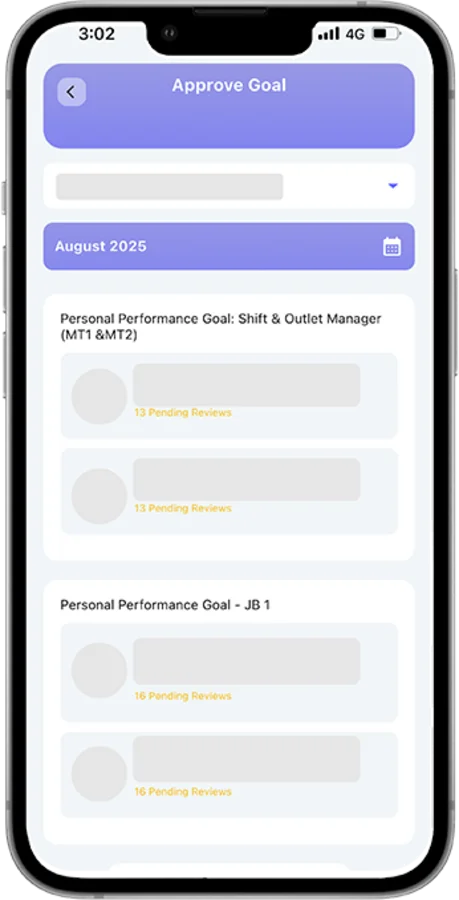
Approvers score goal sets, and scores place teams and staff into classes.
-
4
Confirm results and pay out incentives
Confirm the month, pay out, and every payout is added to staff wallets.
Features
Features for Sales Teams and Every Department
Sales Incentives & Payouts
Tiered sales targets, cost control and a fair, attendance-weighted split of every team incentive, calculated for you each month.
Learn moreGoals & KPI Templates
Reusable goal, sales, cost and team-goal templates so every team starts the month with clear, scored KPIs.
Learn moreDepartment Reviews
Monthly or yearly performance reviews for non-sales departments, with department goals, staff goal sets and approvers.
Learn moreAttendance & Leave
GPS and branch check-in from the web or mobile app, HR2000 attendance import, and leave applications with approval.
Learn moreLeaderboards & Performance Classes
Sales, team-class and individual-class leaderboards that make performance visible and motivating.
Learn moreReports & Exports
Seven ready-made performance reports plus Excel and PDF exports for payroll, audits and management reviews.
Learn moreMobile App
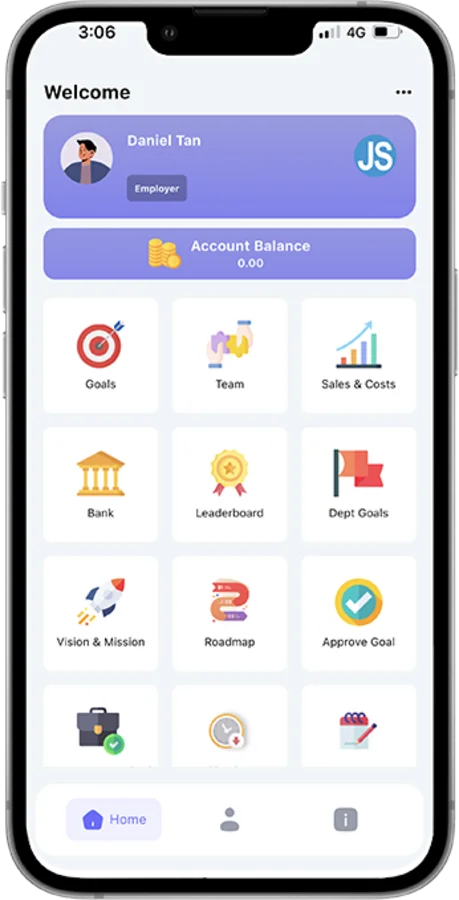
Check in, follow goals and team sales, view leaderboards and earnings, and read company notices from your phone.
Learn moreWeb & mobile
See MissionGo in Action
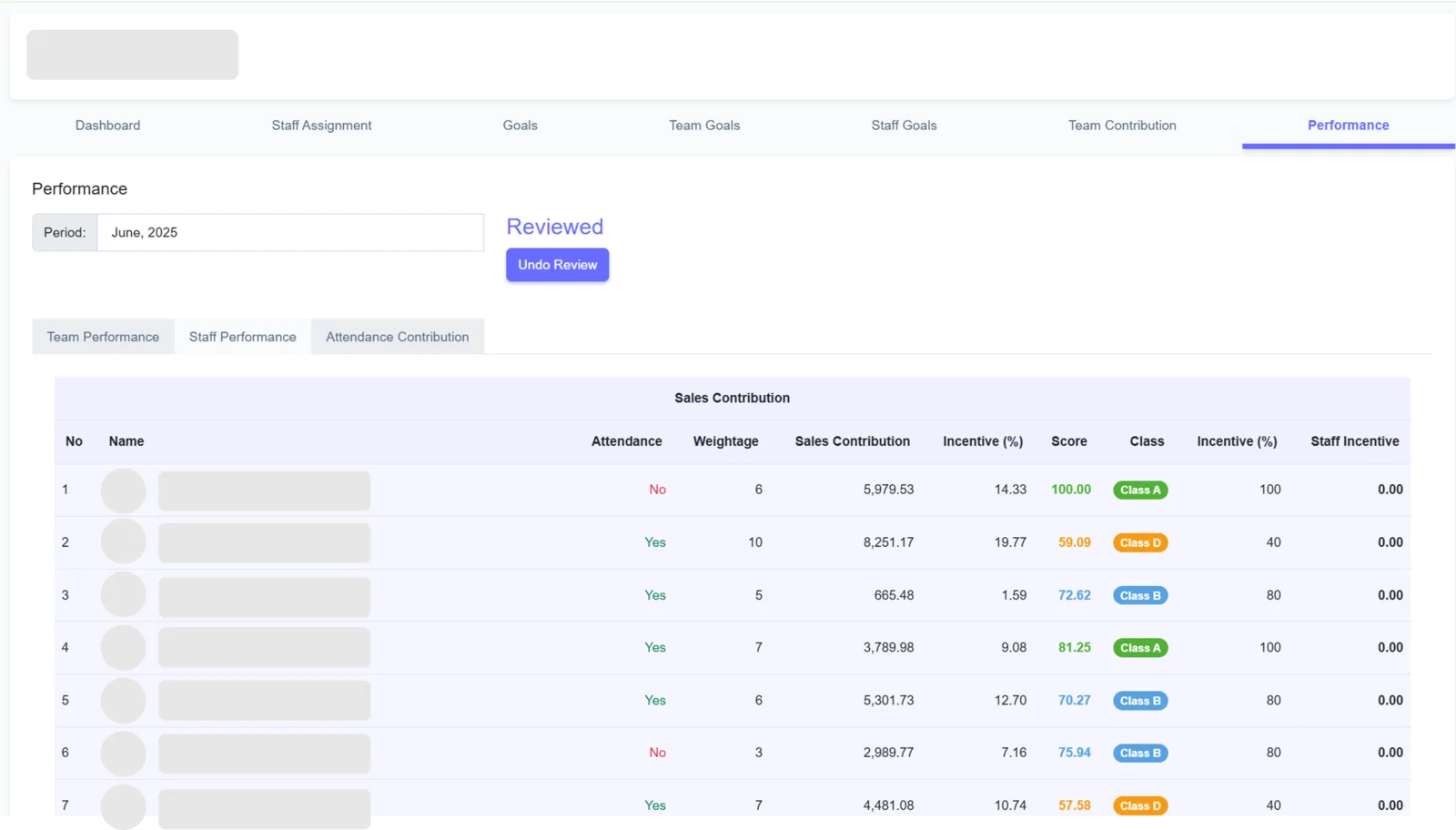
Managers review staff performance on the web. Staff follow goals and earnings in the mobile app.
Who does what
A Role for Every Person, in Every Company
The same person can be a manager in one company and staff in another. Every screen checks the role they hold in the company they are working in.
Employer & Administrator
Set up the company, teams, targets and templates. Confirm months, pay out and see every report.
Manager
Score the goal sets they approve, enter daily sales, approve leave and review the staff who report to them.
HR & HR Manager
Import attendance, run attendance reports, record warning letters and view scoring history.
Staff
Check in, apply for leave, follow goals, team sales and leaderboards, and see their earnings.
The difference
Fair Incentives Based on Attendance-Weighted Sales
Equal splits reward people who weren't there. MissionGo splits each day's sales among the staff who were eligible that day, by their weightage, then applies cost control and performance classes.
- Staff who must check in only share in the days they were present
- Cost-% tiers reward profitable sales, not just volume
- Team and individual classes reward goal achievement
- Staff see an estimate during the month and the final amount after confirmation
- Monthly team sales RM 120,000 reaches the RM 100,000 tier
- RM 5,000
- Cost 30% is under the 35% threshold (100% of incentive)
- × 100%
- Team class A incentive
- × 100%
- Individual class B incentive
- × 80%
- Attendance-weighted sales share
- × 25%
- Staff incentive
- RM 1,000
Multi-Branch, Multi-Company and Ready for Every Team
Sales and outlet teams
Monthly sales and cost tiers, daily sales entry, team goals and staff goal sets, ending in a confirmed incentive payout.
Non-sales departments
Monthly or yearly department reviews with department goals, staff goal sets, approvers and classes, without a payout.
- Branches with GPS check-in within 400 m
- One login across several companies
- English, Malay and Chinese
- Each company's data kept separate
- Confirmed months are locked before payout
- Score, sales and payout changes logged with who and when
What is MissionGo?
MissionGo is an employee performance and incentive platform. Companies set monthly goals for teams and staff, score achievement, rank people into performance classes and pay out incentives. It also covers attendance, leave, a company noticeboard and reports, on the web and in a mobile app.
How does MissionGo calculate sales incentives?
Each team earns the incentive of the highest sales tier it reaches in the month, adjusted by its cost ratio. That amount is split among staff by attendance-weighted sales contribution and by their team and individual classes. The month is confirmed before anything is paid out.
Can I use MissionGo for departments that don't sell?
Yes. Department reviews score non-sales departments monthly or yearly against department and staff goals, with approvers and performance classes, but without an incentive payout.
Can I manage multiple branches with MissionGo?
Yes. Each company can have many branches, and teams can be linked to a branch. Staff can check in at any active branch within 400 m, and positions can be set so check-ins at any branch count.
Is there a mobile app?
Yes. Staff use the mobile app to check in, follow their goals and team sales, view leaderboards and incentive earnings, and read company notices.

Get a Quote for Your Team
Tell us about your teams and branches and we'll get back to you with a quote.